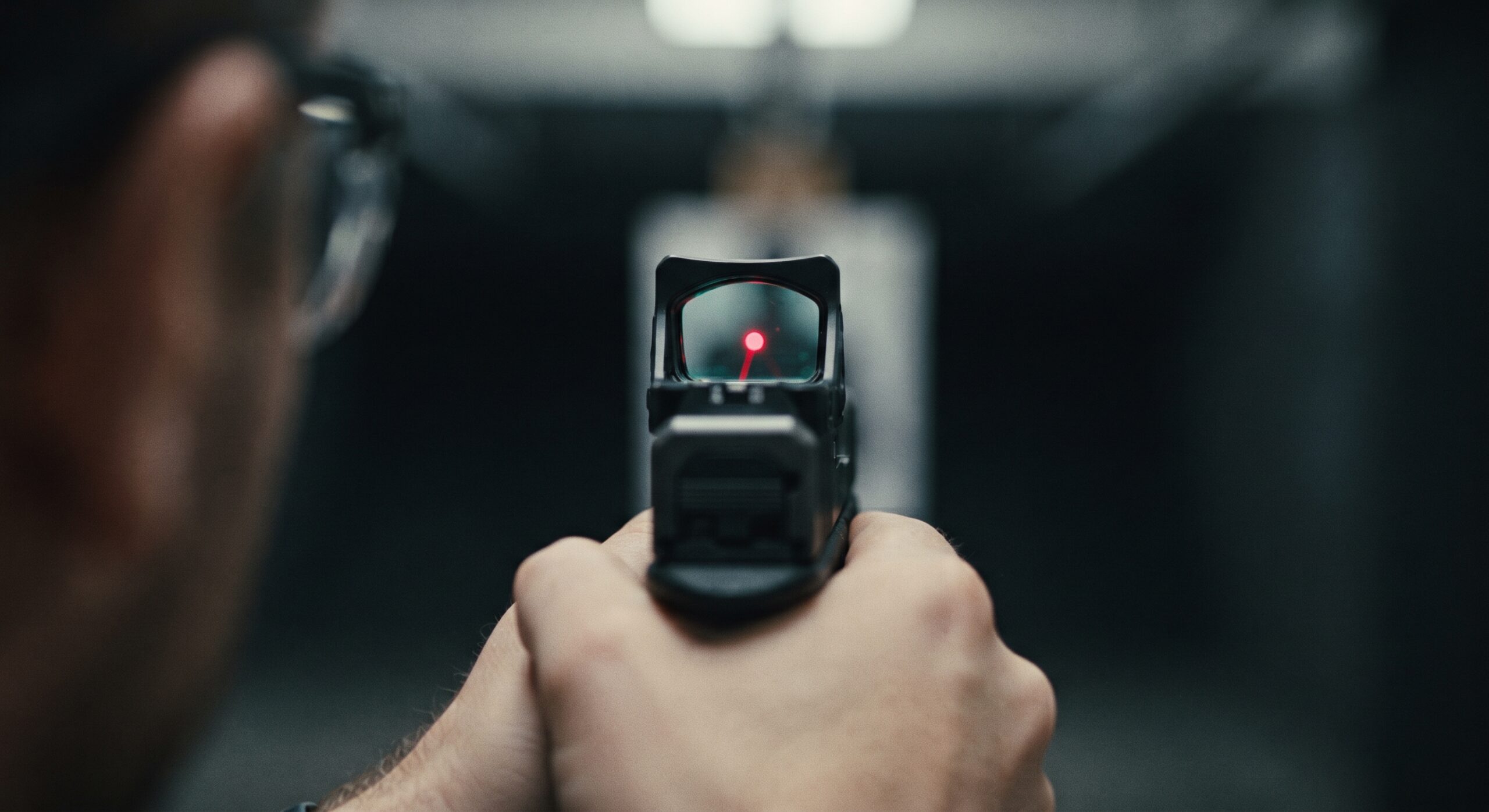
You’ve finally bought the optic.
You spent a week comparing models, watched enough reviews to recognize the reviewers’ living rooms, and paid to have everything installed correctly. Now you’re at the range with the pistol you already know, expecting the improvement everyone described.
You bring it up and look through the window.
No dot.
You move the pistol slightly. There it is. You settle in, fire a careful group, and the results look promising. Then you lower the gun, bring it back up, and have to find the dot again.
By the end of the session, you’ve shot one excellent group and spent a surprising amount of time wondering where your new aiming point went.
The installation may take an afternoon. Becoming comfortable with the new sighting system can require considerably more attention.
A pistol red dot changes what you see, which habits you rely on, and what you need to maintain. It can offer real advantages, but you’ll get a more useful result if you approach the change with a plan.
Start by deciding what you want the optic to improve. Then work through compatibility, instruction, practice, and upkeep before judging the purchase.
Give Your Red Dot a Job You Can Measure
Write one sentence explaining why you want a red dot.
“I want one because everyone recommends them” describes the influence behind the purchase. It doesn’t give you a way to evaluate the result.
Try something you can assess:
“I want an aiming system I can see more comfortably.”
“I want to try an optic for recreational target shooting.”
“I want to learn whether an optic improves my consistency with the pistol I carry.”
Your purpose affects which compromises make sense. A pistol used occasionally at an indoor range has different day-to-day demands from one carried through hot weather, rain, and dusty conditions. A competition setup also needs to fit the rules of the events you intend to enter.
Understand the basic change. With conventional iron sights, you align a front sight with a rear sight and relate that alignment to the target. A typical pistol red dot presents an illuminated aiming reference in the optic’s window.
That dot is visible through the sight. It is not a laser spot projected onto the target, a distinction Aimpoint addresses in its technical guidance. Aimpoint
The potential benefit is a sighting system that lets you keep your visual attention on the target while seeing an aiming reference over it. Whether that feels clearer or easier to use depends partly on your eyes and familiarity.
Keep your original sentence. It will become the question you answer after several practice sessions.
See the Dot Through Your Own Eyes Before You Buy
A photograph cannot tell you what a particular dot will look like to you.
Before buying, arrange to examine several optics at a dealer or try a rental pistol at a range. Follow the staff’s handling procedures and ask whether an instructor can help you make a useful comparison.
Wear the corrective lenses you normally use for shooting. Looking through an optic without them and deciding the sight is defective may send you after the wrong problem.
Pay attention to what you actually see. Does the dot appear distinct? Does it look stretched or smeared? Is the surrounding window comfortable to look through? Can you see the aiming reference without concentrating on it so intensely that you lose awareness of the target?
Holosun’s troubleshooting guidance identifies several possible factors in a misshapen dot, including visual focus, brightness, corrective lenses, and astigmatism. That means an imperfect-looking dot does not, by itself, establish whether the issue is your eyesight or the equipment. Holosun
Ask staff to demonstrate the brightness controls and compare reasonable settings. If a visual problem persists across several sights, an eye-care professional can help address the eyesight question. The manufacturer can help investigate a suspected equipment fault.
If possible, compare different dot sizes and colors under similar conditions. Avoid accepting “green is always better” or “smaller is always more precise” as a substitute for trying them.
Record your impressions immediately. “Comfortable with my glasses; controls difficult to operate” is more useful than remembering that one model looked impressive.
Learn to Look at the Target Without Chasing the Dot
If you learned to shoot by concentrating on a sharply defined front sight, your first instinct may be to give the dot that same attention.
That is an understandable habit. You’re looking for the new version of the familiar object.
Target-focused use asks something different: keep your attention on the target while seeing the aiming reference through the window. Aimpoint describes this ability to view the target and dot together as a central feature of the system. Aimpoint
Knowing that explanation and doing it comfortably are separate things.
An instructor can help you recognize whether you’re looking at the target or examining the dot. Describe what you see rather than trying to give the answer you think the instructor wants.
For example: “I can see the target clearly until I start looking for the dot. Then I stare at the window.”
That description gives the instructor a specific habit to address.
Also distinguish visual focus from difficulty bringing the sight into view. You might understand where to look but still position the pistol inconsistently. You might also have an equipment or brightness problem. Treating every missing dot as the same problem makes learning frustrating.
Ask for a safe, supervised introduction appropriate to your experience. Leave with a clear explanation of the issue you’re working on and what improvement should look like.
You should be able to say more than “I need to find the dot faster.” A useful learning goal identifies why you’re having trouble and what your instructor wants you to change.
Check the Whole Setup Before Paying for the Optic
Before paying for an optic, write down the exact pistol model, slide configuration, and optic model.
“Optics ready” does not mean every sight attaches directly to every pistol. The mounting arrangement may involve a particular slide cut, adapter plate, or manufacturer-specific interface.
Get compatibility confirmed for your exact combination. Ask the pistol or optic manufacturer, a qualified gunsmith, or an installer familiar with that system. A vague assurance that the optic “uses a common footprint” leaves too much unresolved.
The footprint is simply the mounting pattern. It is one part of compatibility, alongside the plate, hardware, and clearances required by the particular setup.
Have the installer follow the applicable manufacturers’ instructions. Tightening requirements are not universal. Trijicon, for example, publishes different specifications for different products and components. A number quoted for somebody else’s optic may be wrong for yours. Trijicon®
Ask the installer to document the parts used and explain any inspection or service requirements. Save the manuals where you can find them.
Then check the holster. Confirm that its manufacturer supports the pistol and optic combination. The pistol should seat properly, remain securely retained, and have its trigger adequately protected. An optic cutout alone does not answer every fit question.
Have any uncertainty evaluated with the pistol unloaded and under appropriate supervision. Don’t force a pistol into a holster or improvise modifications to make it fit.
Include these costs before purchasing: optic, installation, mounting components, a compatible holster if needed, and instruction. The advertised optic price may represent only part of the change.
Record Your Starting Point and Verify Your Zero
Before switching, collect a modest baseline with your existing sights at an authorized range.
Choose a familiar, uncomplicated target exercise that fits your ability and the range’s rules. An instructor can help select one that provides useful information without introducing unnecessary complexity.
Record the target, distance, ammunition, and shooting conditions. Save the results from the whole exercise rather than photographing only the best group.
Include observations about ease of use. Did you struggle to see the sights? Did you feel rushed? Were you comfortable operating the pistol safely?
Your baseline does not need to establish how you compare with another shooter. It needs to describe your normal performance well enough to support a later comparison.
If you already own the optic, start recording now. You can still evaluate progress over time, even if you missed the chance to document your iron-sight performance.
After installation, have the optic’s zero established and verified appropriately. “Zero” describes the relationship between the aiming reference and bullet impact at a specified distance. SIG Sauer’s guidance emphasizes that the optic needs its own verification; simply making the dot appear aligned with the iron sights is not sufficient. sigsauer.com
Have a qualified instructor or gunsmith help if you’re unfamiliar with the process.
Keep the verification record with your practice notes. That gives you a known starting point and helps separate a sight-adjustment issue from a learning issue.
Find Out Why the Dot Keeps Disappearing
A red dot can make movement and inconsistency more noticeable. That information can be useful, but it doesn’t diagnose its own cause.
You may notice that the dot appears readily during one repetition and requires searching during the next. Grip, posture, and presentation can affect what you see.
Presentation means bringing the pistol into the position from which you intend to aim. SIG Sauer Academy specifically treats acquiring the dot during presentation while maintaining target focus as a skill requiring instruction and practice. SIG SAUER Academy
Have an instructor observe you before buying equipment to solve a problem you haven’t identified.
Explain the pattern plainly: “The first few repetitions feel comfortable. Later, I have difficulty seeing the dot.” Or: “This happens with this pistol but not the rental I tried.”
Those observations can guide a useful assessment. They are more informative than concluding that you need a larger window.
Visible dot movement can also tempt you to overcorrect. Ask the instructor to distinguish ordinary movement from a handling issue that deserves attention. Trying to eliminate every visible tremor can distract from the fundamentals you’re learning.
Change one relevant thing at a time. If you replace the optic, alter your grip, change ammunition, and add a new holster between sessions, it becomes difficult to tell what helped.
Leave each lesson with one or two specific priorities and a way to assess them. The objective is steady improvement you can explain.
Give Every Range Visit a Question to Answer
Write a short plan before you arrive at the range.
For an early session, that might be learning the controls and confirming that the setup works as intended. A later session might focus on comfortable sight use under an instructor’s supervision.
Once you’re ready, repeat the baseline exercise under comparable conditions.
Keep the target, distance, ammunition, and procedure consistent enough that the comparison means something. Changing every condition can make a better result look like progress when you have simply made the exercise easier.
Record accuracy, consistency, and ease of use. Include problems even if the final target looks good.
“I eventually shot a tight group, but repeatedly had trouble locating the aiming reference” describes a different result from “The sight was easy to use throughout the session.”
Use this short entry after each visit:
- What I intended to work on.
- What I observed.
- Any equipment or handling problem.
- The instructor’s correction or next step.
- What I will repeat next time.
If an instructor assigns dry practice, have them establish the safety procedure: an unloaded firearm, ammunition removed from the practice area, a suitable safe direction and backstop, and an uninterrupted session. Follow the firearm manufacturer’s guidance and stop when attention deteriorates.
Keep live-fire work within the range’s rules. Additional complexity should follow demonstrated readiness and appropriate supervision.
Set a review date after several sessions. That creates room to learn while preventing “I’m still getting used to it” from becoming an indefinite explanation for unresolved problems.
Know What the Buttons Do Before You Need Them
A small optic can contain more operating modes than you expect.
Depending on the model, it may offer manual brightness, automatic adjustment, motion activation, button locking, or several aiming patterns. Similar-looking products can behave differently.
Read the manual for the exact model and version you own. Have the installer or instructor demonstrate its controls with the firearm safely unloaded.
You should know how to determine whether the sight is operating, identify the current mode, adjust it appropriately, and recognize any low-battery warning.
Motion activation deserves particular attention. Holosun’s guidance, for example, distinguishes allowing an optic to enter sleep mode from manually switching it off; its motion-activation feature does not operate after manual shutdown as described in that guidance. Don’t assume an unfamiliar mode behaves as its name suggests. Holosun
Evaluate visibility under the lighting conditions available in a safe training environment. An automatic setting still needs to be understood and assessed.
Keep a brief operating note in your range bag. Include the model name, battery type, and a link to the manual. You don’t need to memorize every optional feature immediately, but you should understand the functions you rely on.
Resist changing modes constantly during the learning period. Choose an appropriate configuration with help, record it, and give yourself a stable setup to learn.
If a feature repeatedly surprises you, resolve that before treating the equipment as familiar.
Put Batteries, Lenses, and Mounting Checks on a Schedule
Add the optic to your existing firearm inspection routine.
With the pistol safely unloaded according to its manual, check the sight for visible damage, contamination, and any mounting concern. Follow the manufacturers’ inspection instructions. Don’t routinely turn screws simply because checking them feels productive.
If something appears loose or damaged, stop using the setup until the cause is resolved appropriately.
Learn how your optic’s battery is replaced. Some designs allow access without removing the sight; others may require removal. Know what your model requires before the battery needs attention.
Record the installation date and choose a replacement schedule informed by the manual, operating conditions, and intended use. An advertised maximum battery life is not a promise for every brightness setting and environment.
Keep a suitable spare where you can find it.
For lens care, follow the manufacturer’s instructions and use appropriate materials. Aimpoint advises using lens paper or suitable cloth and removing loose debris rather than cleaning with fingers. Avoid grinding grit across the surface with whatever fabric happens to be nearby. Maintenance
Include any exposed optical areas identified in your manual, and avoid unapproved solvents or tools.
Ask when zero verification is appropriate after removal, remounting, a significant impact, or suspected movement. A sight lighting up does not establish that its alignment remains unchanged.
Put reminders on your calendar and note completed maintenance. A simple dated record is more dependable than trying to remember whether you changed the battery this spring or last spring.
Decide What You’ll Do When the Dot Goes Dark
Discuss equipment failures with your instructor before they occur.
If the dot disappears during a range session, keep the firearm pointed safely, stop the exercise, and seek appropriate assistance. Don’t let troubleshooting consume your attention while the pistol’s condition and direction become secondary.
Identify what might require a settings check, what calls for maintenance, and what means the firearm should be taken out of use until inspected.
If you intend to retain backup iron sights, have their compatibility and usability confirmed for the complete setup. Their presence alone doesn’t establish that you can use them effectively.
Likewise, backup sights cannot make every possible optic failure irrelevant. Ask an instructor to explain the limitations of your arrangement and teach any appropriate contingency skills safely.
For defensive use, confidence in equipment should rest on verified function, familiarity, and sound judgment. Installing an optic is not a reason to rush a changed pistol into service before addressing unresolved problems.
Your contingency plan can be straightforward: recognize a problem, handle the firearm safely, and know who will assess it. You don’t need to invent a workaround for every failure.
Keep warranty and service information with your records. Know which company handles the optic, mounting components, and installation if a problem develops.
Make the Purchase Prove Its Value
Return to your original sentence.
Is the aiming reference easier for you to see? Are you using it more consistently? Do your practice records show progress across sessions? Can you explain the controls and maintain the setup without guessing?
An adjustment period should produce some evidence of learning. Perhaps the sight feels less distracting, the instructor observes greater consistency, or your results become more repeatable.
A persistent equipment fault needs attention. A visual problem that remains unresolved deserves further evaluation. A setup that is uncomfortable, incompatible with your routine, or too demanding to maintain may be a poor fit.
Avoid defending the purchase simply because you paid for it. Also avoid dismissing the entire idea because the first afternoon felt unfamiliar.
Write your ownership plan on one page:
- My purpose for adding an optic: ____.
- The improvement I want to assess: ____.
- Exact pistol, optic, mounting components, and holster: ____.
- Compatibility confirmed by: ____.
- Installation and initial zero verified by: ____.
- Instruction scheduled and current learning priorities: ____.
- Baseline exercise and practice records: ____.
- Operating mode and controls I need to understand: ____.
- Battery type, installation date, and maintenance schedule: ____.
- Problems that require inspection or service: ____.
- Date I will evaluate the complete setup: ____.
Budget for this work alongside the hardware. Installation gets the optic onto the pistol. Instruction, practice, and maintenance determine whether it becomes something you can use confidently and keep working.
On your next range visit, bring the plan with you. You’ll have a more useful question to answer than whether the new dot looks good in a photograph.